TUTORIAL: Membuat Jaringan Peer to Peer (PC to PC)

Jaringan komputer Peer to Peer (PC to PC) adalah jaringan komputer yang hanya menghubungkan dua komputer dimana kedua komputer bisa menjadi server maupun client, jadi tidak ada perbedaan antara client dan server. Dalam pemasangan Jaringan Peer to Peer anda tidak perlu memakai hub karena dalam tipe jaringan dua komputer (PC to PC) ini dapat langsung dihubungkan dengan 1 kabel UTP.


Sebagai catatan untuk membuat jaringan komputer peer to peer kabel UTP yang dibuat harus dengan Crossover / Crossline karena jika menggunakan Straight Through kabel LAN dianggap tidak terkoneksi (a network cable is unplugged) kecuali jika Ethernet atau LAN Card yang anda gunakan sudah support dengan straight through.

Untuk membuat kabel jaringan Crossover / Crossline sebagai berikut

Siapkan senjata yang dibutuhkan

a. Kabel UTP


b. Konektor RJ-45


c. Crimping Tool


d. LAN Tester


Perlu di ketahui bahwa kabel UTP memiliki 4 pasang kabel kecil di dalamnya yang memiliki warna berbeda. 4 pasang kabel itu adalah :

Pasangan 1 : Putih/Biru dan Biru,
Pasangan 2 : Putih/Oranye dan Orange,
Pasangan 3 : Putih/Hijau dan Hijau,
Pasangan 4 : Putih/Coklat dan Coklat

Proses pembuatan :


Urutan pemasangan : Salah satu sisi kabel dibuat sesuai dengan standar “Straight Through”, sedangkan sisi kabel lainnya, dilakukan “Cross-Over”, yaitu :
Pin 1 : Putih/Hijau
Pin 2 : Hijau
Pin 3 : Putih/Oranye
Pin 4 : Biru
Pin 5 : Putih/Biru
Pin 6 : Oranye
Pin 7 : Putih/Coklat
Pin 8 : Coklat
Langkah-langkah pemasangan kabel UTP pada konektor RJ45 : 

1. Kupas jaket dari kabel UTP dengan menggunakan crimping tool atau alat pengupas kabel khusus.


2. Pisahkan empat lilitan kabel UTP menjadi delapan bagian, setelah itu luruskan tiap-tiap kabel agar dapat mudah dipotong.


3. Susunlah urutan warna sesuai dengan konfigurasi crossover dan sesuaikan ujung kabel yang akan dipotong dengan konektor yang akan dipasang.


4. Gunakan tang pemotong atau crimping tools, potonglah ujung kabel secara rata agar kabel mudah dimasukan ke lubang konektor 


5. Masukkan ujung kabel yang telah dipotong ke lubang konektor RJ-45 secara bersamaan, kemudian jepit konektor dengan menggunakan crimping tool agar konektor terkunci. 


6. Lakukan tes dengan LAN Tester, jika semua lampu indikator menyala berarti semua bagian kabel sudah terpasang dengan benar.
Setelah pembuatan kabel crossover selesai silahkan hubungkan ke kedua komputer, lalu setting masing-masing IP komputer dengan cara

Setelah pembuatan kabel crossover selesai silahkan hubungkan ke kedua komputer, lalu setting masing-masing IP komputer dengan cara :
Buka network connection (dari windows explorer klik kanan My Network Places -> Properties).
Klik kanan Local Area Connection, lalu pilih Properties -> Double klik Internet Protocol (TCP/IP).
IP Address komputer 1 : 192.168.0.11 – Subnet Mask 255.255.255.0
IP Address komputer 2 : 192.168.0.22 – Subnet Mask 255.255.255.0


Kita dapat melakukan ping terhadap komputer 2 melalui komputer 1 di DOS lewat Start -> Run -> ketik cmd -> lalu ketik ping 192.168.0.22
Jika komputer 2 ingin melakukan ping komputer 1 caranya sama tinggal ganti dengan IP address komputer 1.
Ping ini fungsinya untuk mengetahui berhasil tidaknya transfer data dari jaringan peer to peer yang telah kita buat tadi.
Selain ping komputer 1 bisa membuka komputer 2 secara langsung di address bar windows explorer dengan mengetikan \\192.168.0.22 begitupun sebaliknya


Oke proses Membuat Jaringan Peer to Peer (PC to PC) selesai sampai di sini

jika ingin terkoneksi ke internet cukup centang setingan pada komputer yang terkoneksi internet

network -> properties -> advanced -> centang yang dilingkari merah

atur IP pada 2 komputer yang di per menjadi IP dinamic jangan static .


selamat mencoba

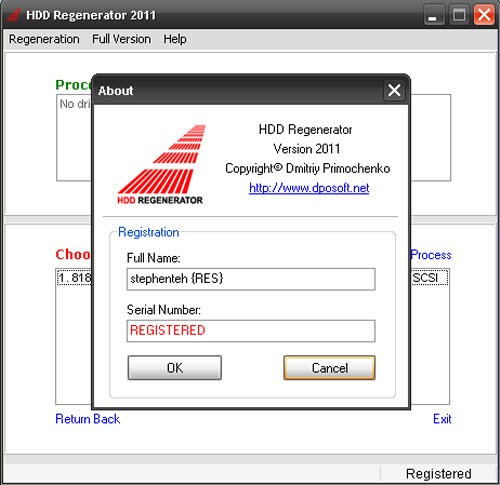
HDD Regenerator 2011... $59.95


Quote:
Program features:
Ability to detect physical bad sectors on a hard disk drive surface.

Ability to repair physical bad sectors (magnetic errors) on a hard disk surface.

The product ignores file system, scans disk at physical level. It can be used with FAT, NTFS or any other file system, and also with unformatted or unpartitioned disks.

Starting process directly under Windows XP / Vista / 7.

Bootable regenerating flash can be created from the program and used to automatically start regenerating process.

Bootable regenerating CD allows starting regenerating process under DOS automatically.

Main benefits

Hard disk drive is an integral part of every computer. It stores all your information. One of the most prevalent defects of hard drives is bad sectors on the disk surface. Bad sectors are a part of the disk surface which contains not readable, but frequently necessary information. As a ecomes unfit for use, but also you risk losing information stored on it. TheHDD Regenerator can repair damaged hard disks without affecting or changing existing data. As a result, previously unreadable and inaccessible information is restored.
%0result of bad sectors you may have difficulties to read and copy data from your disk, your operating system becomes unstable and finally your computer may unable to boot altogether. When a hard drive is damaged with bad sectors, the disk not only bA
How it works

Almost 60% of all hard drives damaged with bad sectors have an incorrectly magnetized disk surface. We have developed an algorithm which is used to repair damaged disk surfaces. This technology is hardware independent, it supports many types of hard drives and repairs damage that even low-level disk formatting cannot repair. As a result, previously unreadable information will be restored. Because of the way the repair is made, the existing information on the disk drive will not be affected!

Can the HDD Regenerator repair your drive?

Almost 60 % of damaged hard disks can be repaired by regeneration. You can always download free demo version and try to regenerate the first found bad sector. The main purpose of the unregistered demo version is to display a report which contains information about the possibility to regenerate the entire disk by means of the registered full version. If the first found bad sector has been successfully regenerated, you can buy the product to regenerate all bad sectors on your hard drive. If the first bad sector has NOT been successfully regenerated, then replace your hard disk drive as soon as possible.

Important notes

Since the program does not change the logical structure of a hard drive, the file system may still show some sectors marked earlier as "bad", and other disk utilities such as Scandisk will detect logical bad sectors even though the disk has been successfully regenerated and is no longer damaged by physical bad sectors. If you want to remove these marks, repartition the hard disk drive.
Comparing to previous versions, the new 2011 code has been completely reworked.
Here are some of improvements of the new version:


Quote:
*Prescan mode (very useful for fast determination of bad sectors location, if a hard drive has a large number of bad sectors. Saves your time. Bad hard drives are scanned in this mode even faster than good drives!)
*Normal scan mode has faster scanning speed
*4K sector size support
*Automatic process resume in any mode (except CD/DVD)
*Multiple hard drives better support
*Real-time hard drive state monitor (will be available soon, currently limited)
*Other enhancements (including temperature indicator, convenient range of sectors selection, bad SMART status indication, overheating indication, etc.)

HDD.Regenerator.2011.Incl.Crack-RES


Code:
http://www.enterupload.com/waf1lqfnyxpi/HDD_Regenerator_2011.rar.html
PORTABLE VERSION, HDD REGENERATOR 2011

Code:
http://www.enterupload.com/70evcipe0l37/HDD_REG_2011_Portable.rar.html

Membuat Windows Xp Menjadi Bahasa Indonesia


Mengubah bahasa pada windows XP sp1, SP2 dan SP3 menjadi bahasa Indonesia dengan persyaratan sistem minimum yaitu
1. Windows XP dengan Paket Layanan1 (SP1), Versi Inggris Windows XP Professional dengan SP1 atau Windows XP Home Edition dengan SP1.
2. 4.63 MB ruang kosong tersedia untuk pengunduhan.
3. 15 MB ruang kosong untuk Penataan.
Silahkan Download Paket Antarmuka Bahasa Indonesia Untuk Windows XP disini

Berikut cara merubah bahasa pada windows XP supaya bahasa Indonesia
1. Setelah anda download software paket antar muka bahasa indonesia kemudian anda jalankan/install
2. Beri tanda ceklis pada “saya menyutujui perjanjian lisensi” kemudian klik tombol selanjutnya


3. Klik tombol berikutnya


4. Tekan tombol “Install”


5. Paket antarmuka bahasa windows berhasil diinstal kemudian anda klik OK
6. Sekarang anda harus restart PC anda dan Klik YA


7. Tampilan awal pada XP yang sudah berbahasa Indonesia


8. Selamat windows XP anda sudah ganti bahasa indonesia

nb:sebaiknya cd instalan OS win XP nya disiapkan dulu kalau sewaktu-waktu dibutuhkan pada saat prosesnya

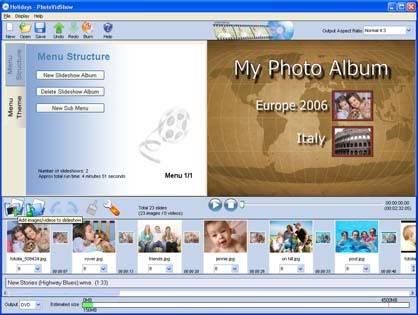
Koleksi Aplikasi Foto Transfer Ke Video

Honestech Video Editor v 8.0.9


Photodex ProShow Producer 4.5.2949


Ashampoo Sideshow Studio HD 2 v2.0.1.139-TE


Photo Slideshow Creator v2.35-PH


MAGIX Movie Edit Pro 17 HD v10.0.0.1


Xilisoft Photo DVD Maker 1.0.1.0917


Cyberlink PowerDirector 8.00.3022 Ultra (2010/Full/Repack/Templates)


Corel Digital Studio v1.5.0.227


Corel VideoStudio Pro X3 13.6.2.42 Multilanguage


SlideShow Maker 2.1.16


VSO Photo DVD 4


DVD Photo Slideshow 7.92


MemoriesOnTV Pro 4.1.2


Pinnacle Studio 14 HD 14.0.0.7255 (Multi/Rus) & Content With Video Training


MAGIX Video Easy HD 2.0.1.3


Photo Slideshow Creator 2.55

Tips…. WinXP get faster

kalo mungkin da yang belum tau....

Berikut ini Tips untuk membuat Windows anda sedikit lebih bergegas kinerjanya.

1. Mendisable Service Windows yg tidak diperlukan.
Karena windows ditujukan untuk berbagai user dan tugas, maka windows membuat service yg sebenarnya tidak tidak terlalu diperlukan. Service2 berikut ini seringkali memakan resouce yg tidak sedikit, dengan mendisable (me-non-aktif-kan) maka komputer kita bisa mendapatkan sedikit boost karenanya.
Yang perlu dimatikan adalah :
* Alerter
* Clipbook
* Computer Browser
* Distributed Link Tracking Client
* Fast User Switching
* Help and Support - (Jika anda mengunakan windows help, maka langkah ini diskip aja)
* Human Interface Access Devices
* Indexing Service
* IPSEC Services
* Messenger
* Netmeeting Remote Desktop Sharing
* Portable Media Serial Number
* Remote Desktop Help Session Manager
* Remote Procedure Call Locator
* Remote Registry
* Remote Registry Service
* Secondary Logon
* Routing & Remote Access
* Server
* Telnet
* TCP/IP NetBIOS Helper
* Upload Manager
* Universal Plug and Play Device Host
* Wireless Zero Configuration -(Jangan didisable jika anda mengunakan Wireless)
*Workstation

2. Matikan System restore
System restore bisa bermanfaat jika komputer bermasalah, akan tetapi semua restore point yg disimpan bisa memakan ruangan yg cukup besar di harddisk. System restore membebani karena selalu memonitor sistem, dengan mendisable system restore maka sebagian resorce bisa dialokasikan untuk hal yg lain.
1. Buka Control Panel
2. Klik System
3. Klik System Restore tab
4. Klik 'Turn off System Restore on All Drives'
5. Klik 'Ok'

3. Mempercepat akses Folder - dengan mendisable Last Access Update.
Jika anda memiliki banyak folder dan subdirectories, maka akses ke Direktory2 Windows XP terasa sangat berat dan seringkali cuman membuang waktu. Dengan mengupdate time stamp di registry, yaitu last access update untuk semua sub directory. Proceed with caution: Langkah berikut bukan untuk N00bie
1. Start>Run>regedit
2. "HKEY_LOCAL_MACHINE\System\CurrentControlSet\C ontr ol\FileSystem"
3. Klik kanan di bagian yg kan (cari area yg kosong), lalu pilih 'DWORD Value'
4. Bikin DWORD Value dengan nama 'NtfsDisableLastAccessUpdate'
5. Klik kanan pada value baru terus pilih 'Modify'
6. Ubah data menjadi '1'
7. Klik 'OK'

4. Me-non-aktifkan Microsoft System Sounds
Secara default MS sound systems membuat komputer berbunyi/bersuara ketika booting awal, shutdown, error, dll. Skenario suara windows jelas2 membuat komputer lebih lambat (terutama dalam waktu shutdown dan booting awal), untuk me-non-aktifkan silahkan ikuti langkah berikut:
1. Buka Control Panel
2. Klik Sounds and Audio Devices
3. Klik tab Sounds
4. Pilih "No Sounds" dari Sound Scheme
5. Klik "No"
7. Klik "Apply"
8. Klik "OK"

5. Mempercepat waktu Boot
Fitur yg lumayan asik dari Windows XP adalah kemampuan untuk mendefrag ketika ada dalam proses booting. Boot Defrag pada prinsip menata file2 yg relevan dengan booting secara berurutan. Secara default fitur ini telah diaktifkan pada beberapa Build Windows, tapi beberapa build windows tidak, ada baiknya kalo kita cross check terhadap fiotur yg satu ini.
1. Start Menu>Run
2. Regedit
3. HKEY_LOCAL_MACHINE\SOFTWARE\Microsoft\Dfrg\BootOpt imizeFunction
4. Cari "Enable" dibagian kanan regedit
5. Klik "Modify"
6. Pilih "Y to enable"
7. Reboot

6. Mempercepat Performa Swapfile
Jika anda memiliki ram lebih besar dari 256MB bisa dibilang tweaking yg ini akan membuat sistem anda berjalan lebih cepat. Tweaking ini pada dasarnya PC kita mengunakan setiap byte dari memori fisik yg terpasang di komputer kita, SEBELUM mengunakan swap file.
1. Start>Run
2. "msconfig.exe">ok
3. Klik tab System.ini
4. Klik tanda plus pada tab 386enh
5. Klik kotak new kemudian ketik "ConservativeSwapfileUsage=1"
6. Klik OK
7. Restart

7. Mempercepat Loading Windows Menu
Tweak ini adalah tweaking fav saya, karena akan komputer kita terasa lebih cepat. Tweaking ini membuang waktu delay ketika kita mengklik menu dan windows XP menampakkan Menu.
1. Start>Run
2. Regedit>Ok
3. "HKEY_CURRENT_USER\Control Panel\Desktop\"
4. Pilih/Sorot "MenuShowDelay"
5. Klik kanan dan pilih "Modify'
6. Ketik angka "100"

8. Mempercepat Shutdown Windows XP.
Tweaking ini mengurangi waktu tunggu secara otomatis ketika windows sudah menerima instruksi untuk shutdown.
1. Start>Run
2. 'Regedit'>OK
3. 'HKEY_CURRENT_USER\Control Panel\Desktop\'
4. Sorot 'WaitToKillAppTimeout'
5. Klik kanan dan pilih modify
6. Ubah value menjadi '1000'
7. Klik 'OK'
8. Sorot 'HungAppTimeout'
9. Klik kanan dan pilih modify
10. Ubah value menjadi '1000'
11. Klik 'OK'
12. 'HKEY_USERS\.DEFAULT\Control Panel\Desktop' sorot WaitToKillAppTimeout'
13. Klik kanan dan pilih modify
15. Ubah value ke '1000'
16. Klik 'OK'
17. 'HKEY_LOCAL_MACHINE\System\CurrentControlSet\Contr ol\' sorot
'WaitToKillServiceTimeout'
19. Klik kanan dan pilih modify
20. Ubah value menjadi '1000'
21. Klik 'OK'


kalau Mo yang simpel dan cepat pake yang ini...kelebihan lain menu2 tersembunyi di my computer akan nongol deh...
caranya cukup dengan mendobel klik file reg nya..

nb.:
memori setidaknya 512 mb...memori dibawah 512 gw ga tanggung resikonya..

Jangan lupa klik download

Intermezo

http://gostep.info/driver-for-laptop.html

Cara Membuat Booting Norton Ghost Lewat Flashdisk

 Disini yang ingin sedikit saya bahas adalah tentang bagaimana membuat norton ghost kita bisa booting atau digunakan melalui flashdisk.

1. Komputer yang support Booting lewat USB
2. Flashdisk ukuran sembarang, Minimal 64Mb
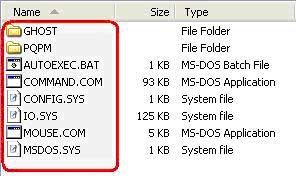
3. File/software ghost
Berisi:
# Norton Partisi Magic ( untuk membuat partisi lewat dos )
# Norton Ghost ( untuk cloning )
4. Software usb Format

5. Pilih Device >> Device ini adalah Flash disk anda
6. Pilih FAT32 pada File System
7. Untuk Volume Label Sembarang (nama dari flashdisk, secara otomatis akan muncul sendiri)
8. Pilih Quick Format dan Created a DOS Bootable Disk
9. Cari dimana anda file USBBOOT yang telah diextract tadi (misal di drive L:\ghost)
10. Klik Start
11. Setelah selesai Copy Semua file ghost ke USB anda. Jika muncul peringatan “Confirm file replace” Klik NO


12. Flashdisk siap dicoba
Note: Jika komputer kamu ternyata tidak support untuk booting via USB atau flashdisk, maka sobat bisa menggunakan Norton Ghost versi CD yang bisa didapatkan baik dengan cara mendownload, pinjam di Rental CD atau lainnya.


Ghost xp yg da diintegrasiin ma skydriver v11.1


isinya apa aja?
- Windows XP Professional SP3 Integrated August 2010 Corporate

- SkyDriver 11.1

- Office : Word, Excel, Power Point

- Flash for IE, FF, Chrome, Oprea

- Unikey

- Foxit Phantom

- CClean

- Font Full

- Giao diện, icon Windows 7

- Internet Explorer 8

- Windows Media Player 11

Link Download:

http://hotfile.com/dl/76105010/24f43...O.iso.001.html
http://hotfile.com/dl/76105012/04e04...O.iso.002.html
http://hotfile.com/dl/76105013/e7fb0...O.iso.003.html
http://hotfile.com/dl/76105009/e9ebe...O.iso.004.html

mirror:
MegashareVn.Com:

http://share.megaplus.vn/dl.php/2517312

Mediafire.Com

http://www.mediafire.com/?u4j35tbu2umhema
http://www.mediafire.com/?wtjf59h1bw978vv
http://www.mediafire.com/?r1dt8l4rrqgul1c
http://www.mediafire.com/?5r3h5254dsyydsi

FileSonic.Com

http://www.filesonic.com/file/23949025/TEEN_GHO.iso.001
http://www.filesonic.com/file/23949725/TEEN_GHO.iso.002
http://www.filesonic.com/file/23949145/TEEN_GHO.iso.003
http://www.filesonic.com/file/23948227/TEEN_GHO.iso.004

655MB

xp rasa seven, ringan, cuantik, tested di komputer jadul bgt, ram 256, procy 1.6 gh, vga 16mb

persis SS, instal palingan 15 mnitan, all driver cocok.

software untuk buka file iso:

UltraISO Premium Edition v9.3.5.2716
download

Release Name : EZB.Systems.UltraISO.Premium.Edition.v9.3.5.2716.Multilingual.Retail.Incl.Keymaker-ZWT
Size : 3.77 MB
OS : WinAll
LiNKS : NFOHomepage
Download : HotFileUsenet Search